Live Solution will require the use of browser cookie. Please enable cookie in your browser setting as below.
1. Chrome
- You can find settings by clicking
 icons on the upper right of the browser.
 - Or input the following url in the search bar: chrome://settings/content:

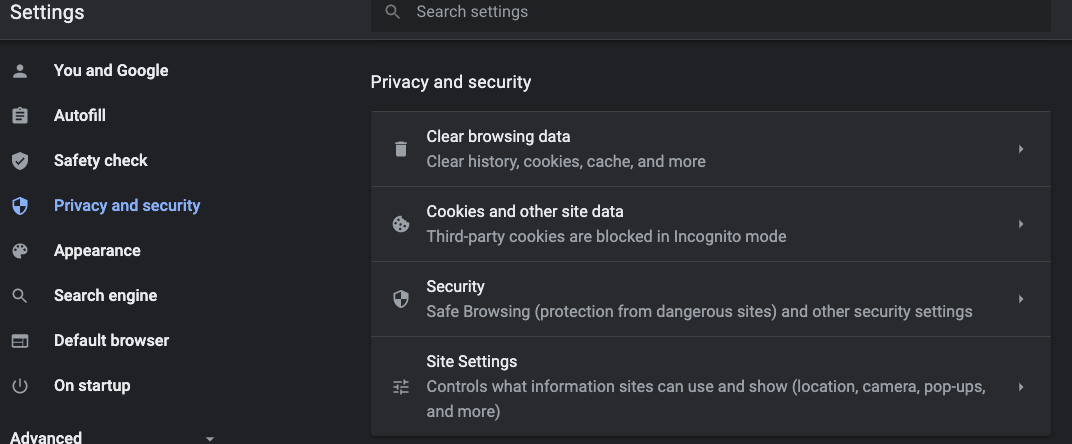
- Find Cookies and other side data in "Privacy and security" section:
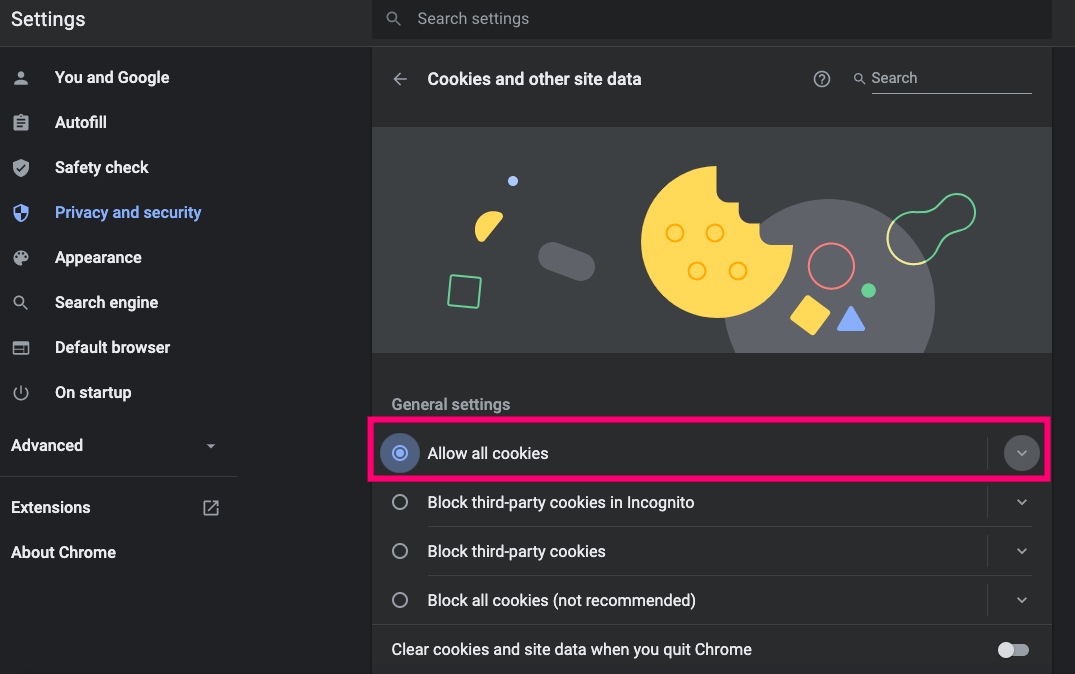
- Please select "Allow all cookies" or "Block third-party cookies in Incognito" to enable cookie:
2. Safari
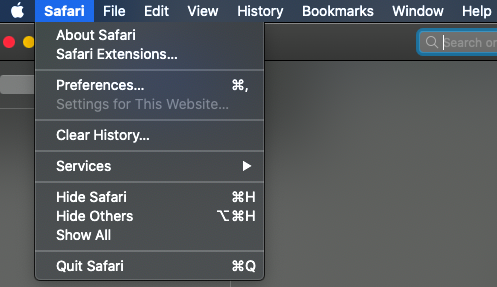
- Click the “Safari” menu and choose “Preferences”.
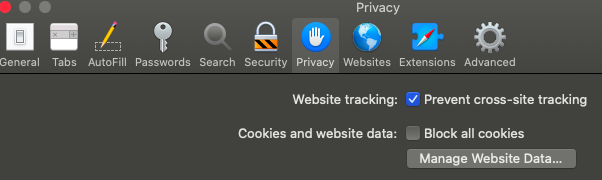
- Click the icon
 “Privacy”.
 - Uncheck "Block all cookies” on Cookies and website data to enable cookie.
3. Microsoft Edge
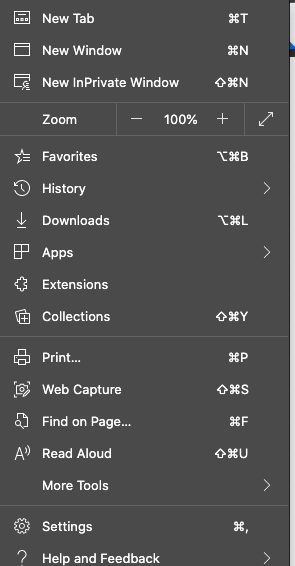
- You can find settings by clicking
 icons on the upper right of the browser.
 - Select “Settings” from the menu.
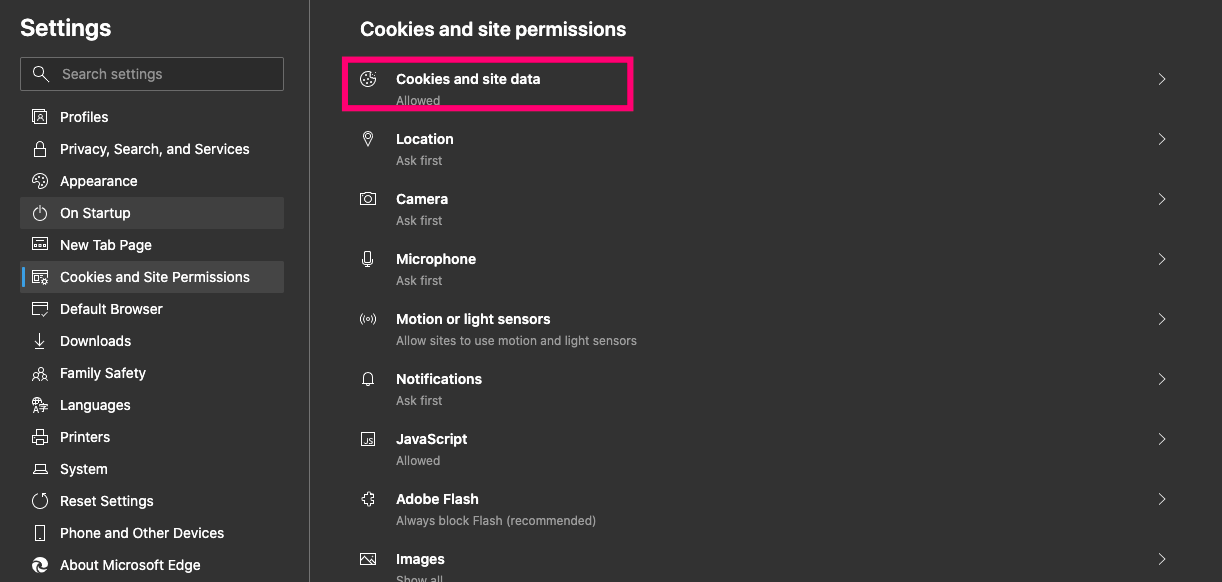
- Select “Cookies and Site Permissions”.
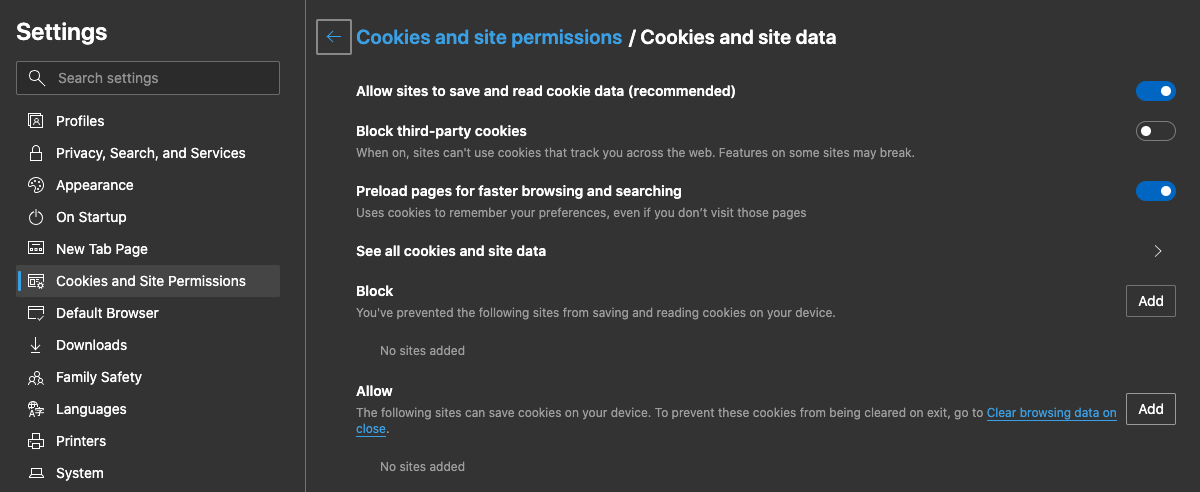
- Select "Allow sites to save and read cookie data (recommended)” to enable cookie.
Please feel free to Contact us if you have any problems.