12 hours before live event starts (Status: Preview available), server is on standby and you can manually start server for event rehearsal if necessary.

1. Click "Event list" button in the left sidebar and all the created events will be listed.

2. Click the event you want to rehearse the live signal.
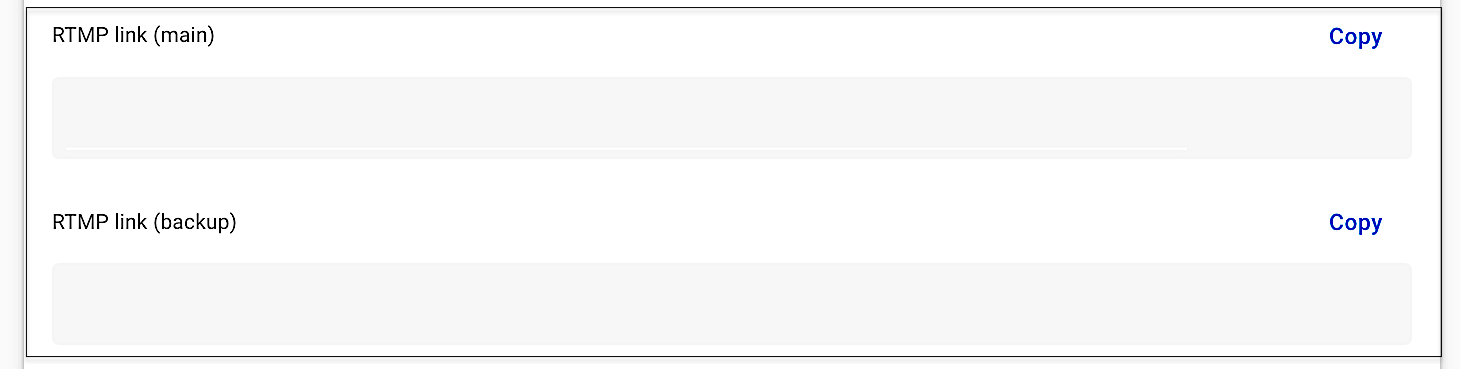
3. Scroll down and you can find Event links section > RTMP link (main) and RTMP link (backup).
- RTMP Link main - serves as the primary source feed of live streaming.
- RTMP Link backup - serves as backup live streaming feed when the main source is disconnected, the player will automatically switch to stream backup source after seconds of loading time.
Note: Player behavior
1. When streaming simultaneously to main and backup RTMP links
- Player will stream main source feed.
- Player will automatically switch to stream another source feed after seconds of loading time if either main or backup feed is disconnected.
2. When streaming to backup RTMP link first then stream to main RTMP link
- Player will not automatically switch stream from backup to main.
4. Send your testing signal from the RTMP link to server. Please refer to Are there format limitations to the streaming? to follow our input and output formats when you send testing signal.
5. Some streaming softwares need to enter Stream key when sending signal. Stream key can be found under RTMP link.

6. Next, click "Go to control room" button at the upper right corner.
7. When the event is in "Preview available" status, you can find "Preview stream" button in the upper right corner. Click "Preview stream" button to start server.

8. Notification of "You can preview the stream now." will pop up, please click "Preview stream" button again to start server.
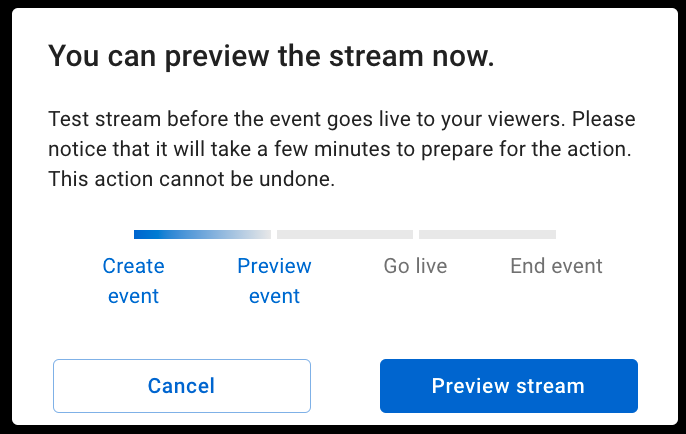
9. After clicking, when you return to Control room section, status will change to "Processing". Please notice that it will take a few minutes to start server.

10. When server is ready, status will change to "Preview". Then, you can send your signal to start testing.

11. When the testing signal is sent, you can preview live streaming on the KKStream player.